Seedream 5.5 AI Image Generator for thumbnails and cover art
Give Seedream 5.5 the moment you want viewers to recognize. Describe it from scratch or upload a frame from your video, then choose a crop that leaves space for the episode title.
Image Examples of Seedream 5.5
Explore multi-step photo editing, transparent PNG compositing, and posters with text.
Recolor and Restage a Motorcycle
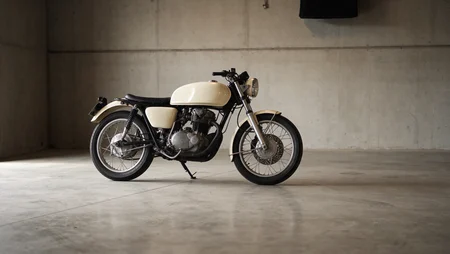
Original · Cream motorcycle in a garage
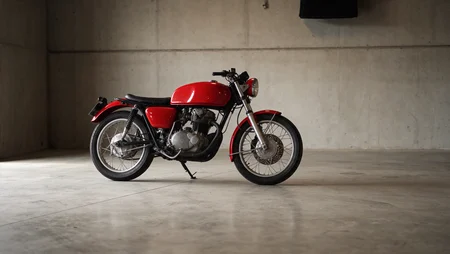
Edit 1 · Glossy red paint
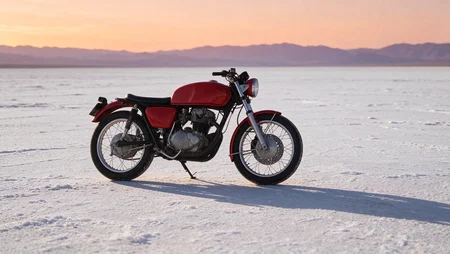
Edit 2 · Salt flats at sunset
Add a Transparent Decal to a Racing Helmet

Transparent number 27 decal PNG
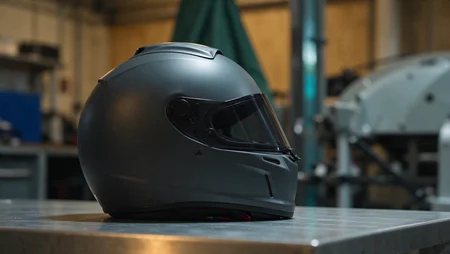
Plain graphite helmet
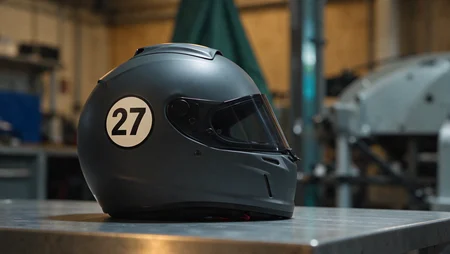
Helmet with the number 27 decal
Create Posters With Text
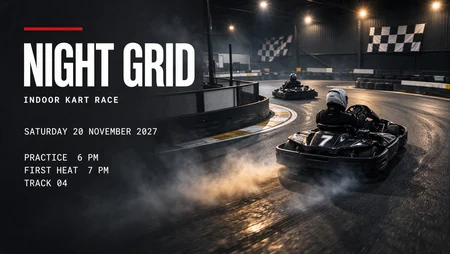
Night Grid · Kart race poster
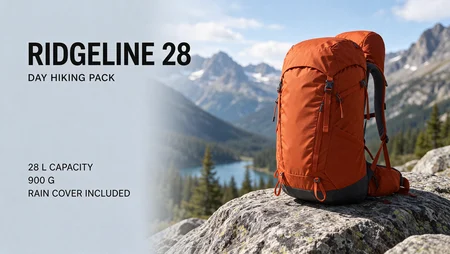
Ridgeline 28 · Hiking pack ad
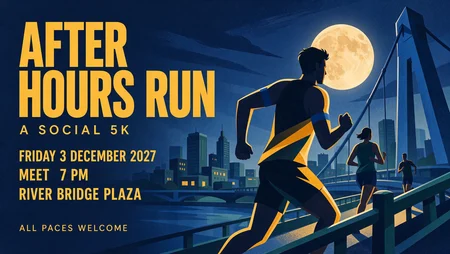
After Hours Run · Night run poster
Choose the source, crop and size for a Seedream 5.5 cover
Match the composition to the surface where your video will appear.
Prompt-only artwork
Start from the title idea when you have no footage or photography to use.
Edit a video still
Attach a frame as an image and describe the change you want to make.
Horizontal or vertical
Select 16:9 for a landscape thumbnail or 9:16 for a vertical cover. The form also offers square and other crops.
Output resolution
Work at 1k or 1.5k for a base estimate of 20 credits, or choose 2k for 30.
Keep a thumbnail readable at small sizes with Seedream 5.5
Treat each generation as a composition study before adding the final lettering.
Make the focal object stand out from the background
Name the focal object and ask for a simpler background to check its outline.
Leave a quiet area for the episode title
Specify where the headline will go so props and faces have a clear place in the composition.
Use a reference for the detail viewers should recognize
Provide a reference of the featured object if a text description leaves too much open.
Compare landscape and portrait compositions
Repeat the same title brief with a different crop to see which shape reads better at a small size.
Turn four kinds of video into cover briefs for Seedream 5.5
Adapt the visual brief to the reason someone would open the video.
Cooking tutorial
Feature the finished dish with one ingredient nearby to hint at the process.
Workshop build
Put the completed object beside a familiar tool so its size is easy to judge.
Travel diary
Give a recognizable landmark the largest shape in the frame and leave room for the episode title.
Interview cover
Reference a portrait and request a quiet, single-color setting around the subject.
Make a Seedream 5.5 thumbnail on Max Video AI
Choose your intended placement before describing the frame.