MiniMax H3 Image Generator and Editor
Create images from text or edit an existing still with up to 16 references. Choose 1K, 2K or 4K on Max Video AI for product visuals, posters and storyboards.
What You Can Create with MiniMax H3 Image
See how different briefs guide subject references, layout, costume details and visual style.
Prepare a visual reference set
Use a sheet like this to choose the pastries you want in the finished scene. Upload the clearest images and describe where each item should appear.
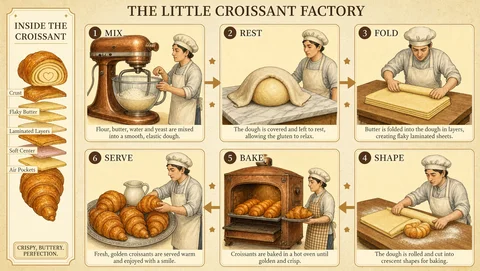
Lay out an illustrated guide
For a croissant recipe panel, name the steps in order and describe the layout. Quote the labels you want, then proofread the rendered text.

Explore a character lineup
Give each character a distinct silhouette, costume and material palette. Specify a common camera angle and lighting so the designs are easy to compare.
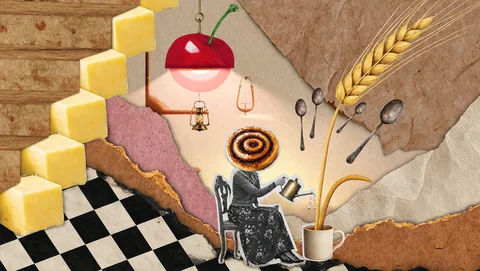
Art-direct a surreal collage
Describe which objects should be oversized and how the layers should overlap. Paper edges, lighting and shadows help tie the composition together.
MiniMax H3 Image Features
MiniMax released H3 Image with open weights. The same model handles text-to-image generation and edits guided by reference images.
Generate an image from text
Describe the subject, composition and lighting in one prompt. Add specific placement or label instructions when the layout matters.
Combine up to 16 reference images
Give the model a clear role for each reference, such as the product shape, background or color palette. Start with the fewest images that explain your intent.
Edit a still with written instructions
Upload the image you want to change. Name the change and the elements to keep, such as a new backdrop with the same product angle and packaging.
Generate detail at up to 4K
MiniMax’s model card lists direct generation around 16 megapixels, including 4096 × 4096 for a square image. Choose 1K, 2K or 4K in this form.
How to Get More Control over the Result
Make composition and editing decisions explicit before spending credits on a final image.
Describe materials and light
Specify brushed metal, woven fabric or soft side lighting when texture and finish matter.
Give text and layout a clear hierarchy
Write the headline in quotes and say where it belongs. Check spelling, labels and logos before publishing.
Carry useful details into the next edit
Reuse an approved image as a reference and name the details to preserve, such as the crop or costume. Review those details on each revision.
Match resolution to the job
Try a 1K draft to check composition. Use 2K for a larger review or 4K when you need to inspect fine details or plan a crop.
Where MiniMax H3 Image Fits in Your Workflow
Start with a deliverable and use references for the details that matter to it.
Product photography and campaign visuals
Use a product photo to explore a new background or lighting setup. Check the product shape, packaging and lettering against the source.
Posters and infographics
Plan the reading order and space for the headline. Check the generated wording and replace it in your design tool if needed.
Character design and storyboards
Reuse an approved character image to guide new poses or shots. Compare the panels side by side for continuity.
Interior and environment concepts
Combine a room photo with furniture references. Specify what goes where, the viewpoint and which features of the room should stay.
How to Use MiniMax H3 Image on Max Video AI
The form starts at 1K and 1:1. Sign in to generate images or upload references, and review the credit estimate before submitting.